Arui.AI is a uml diagram generator that transforms plain-language system descriptions and source code into structured UML diagram illustrations with readable class boxes, actor and lifeline notation, and labeled message flows in roughly 5 seconds. Describe your classes, interfaces, and operations in words, or paste up to 600 lines of Java, Python, C++, or TypeScript source, and the uml generator ai returns a presentation-ready diagram you can refine, export, and share.

Two tiers tuned for different label density, output sizes, and budgets — compare resolution, credit cost, and style support before you generate.

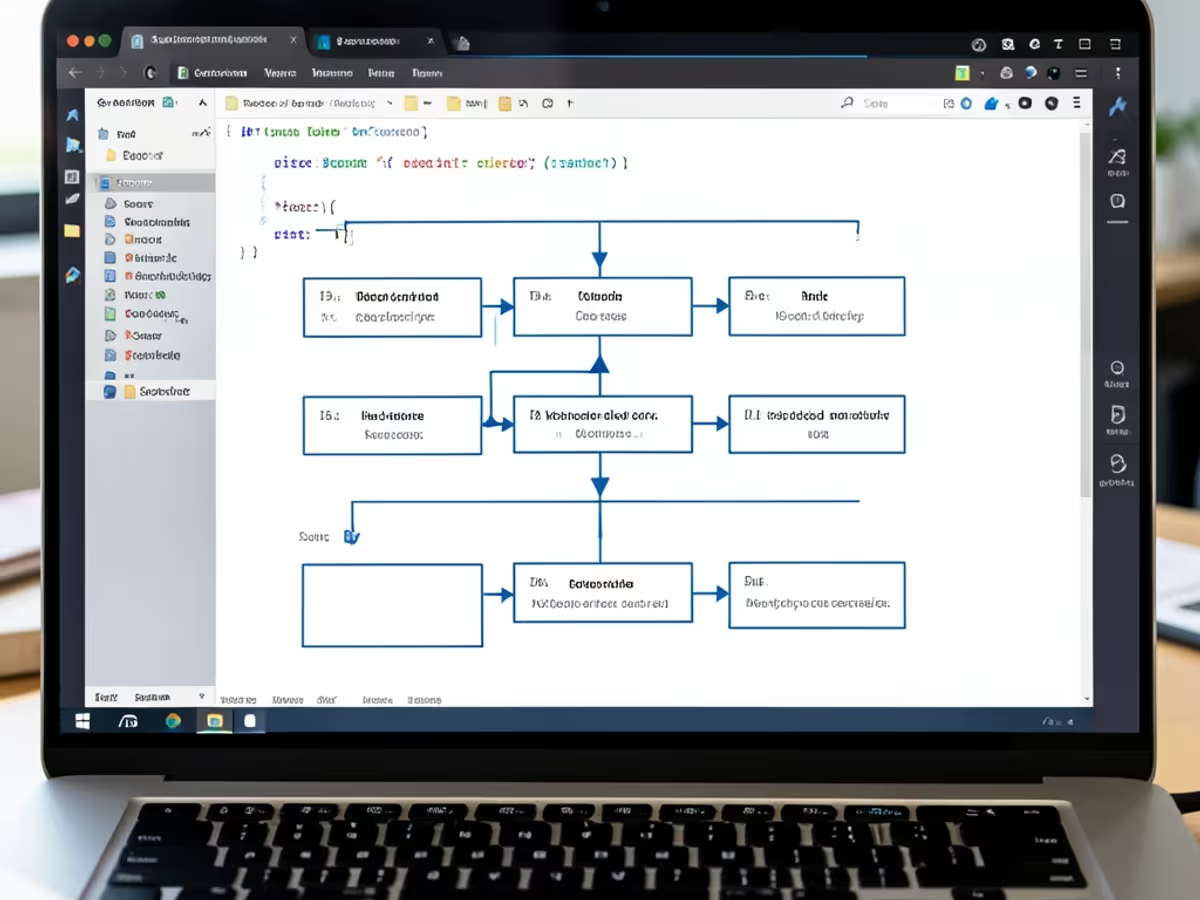
Describe your system in words or code and receive a formatted UML diagram illustration with precise class structures, message sequences, and actor interactions.

Provide a written breakdown of up to 25 classes with their attributes, operations, and relationships — up to 350 words of input — and the uml diagram generator delivers a fully rendered diagram illustration with readable class boxes and labeled connectors in approximately 5 seconds. Users replacing manual diagramming tools report a 90 percent reduction in production time, dropping from 35 to 50 minutes down to roughly 5 seconds per diagram.

The uml diagram generator from code feature takes class declarations, method signatures, inheritance, and interface implementation straight from your Java, Python, C++, TypeScript, C#, and Go source files — up to 600 lines of input — and renders them as a complete visual diagram illustration in about 5 seconds. Class names, attributes, and relationships from the code you paste appear in the diagram, replacing the 30 to 55 minutes per module that manual transcription of source code into UML entities absorbs in legacy tools.

Describe whichever view you need in one input panel — the class diagram generator, sequence diagram generator, and use case diagram generator phrasings each render the appropriate notation, from rectangular class boxes with attribute and operation compartments to ordered lifelines with message arrows and actor associations, in about 5 seconds per render. Switching diagram types in conventional uml diagram tool online software means re-learning a separate editor mode and 20 to 40 minutes of re-setup per view.

The ai class diagram generator draws inheritance, composition, aggregation, association, and dependency relationships exactly as you describe them, with multiplicity labels — 1, 0..1, 1..*, 0..* — placed at both connector endpoints and abstract classes rendered with italic notation. Labeling and placement that demand 20 to 35 minutes of careful manual work in conventional diagramming tools finish in a single pass, and a regenerated variation arrives whenever you tweak the wording.

The uml diagram generator online arranges class hierarchies spanning dozens of classes on a single wide 16:9 canvas, keeping class names, attribute lists, and operation signatures in small legible text with steady, evenly spaced boxes. Producing comparable layouts in traditional diagramming applications demands 25 to 45 minutes of manual repositioning; the generator redraws the full hierarchy in about 5 seconds per render.

Save your finished diagram as a crisp PNG — up to 2048px on Standard and up to 3840px 4K output on Pro — large enough for design documents, README pages, and review decks. The automatic uml diagram generator keeps class labels and relationship lines sharp at full size, removing the 10 to 18 minutes usually lost to post-export reformatting and screenshot cleanup in older tools.

Software architecture, codebase documentation, classroom instruction, and system review — scenarios where automated diagram creation saves hours.

Architects describe class structures in plain language — such as Customer class with id, name, and email attributes extending a base User class and referencing an Order class via composition — and the uml diagram generator produces a cleanly structured class diagram illustration with the relationships you describe in about 5 seconds. A typical enterprise application with 20 to 30 classes renders in under 10 seconds total, compared to 70 to 110 minutes of manual drawing in Visio or Lucidchart.

Developers paste Java, Python, or TypeScript source files into the uml diagram generator from code feature and receive a complete visual class reference illustration in roughly 5 seconds. Documenting a 25-class module with 50 to 80 inheritance and association relationships through manual diagramming in conventional tools consumes 55 to 90 minutes per documentation cycle.

Instructors write scenario descriptions like Student enrolls in Course through Registration, Actor views Course Catalog, and System validates Prerequisites, and the platform produces a use case diagram generator output with all actors and associations in about 5 seconds. A lecture covering 4 to 6 diagramming examples renders in under 30 seconds total, compared to 50 to 70 minutes of manual illustration on a whiteboard or in presentation software.

Teams designing service interactions describe message flows in words — such as Client sends login request, Server validates credentials, Database returns user record — and the sequence diagram generator produces a diagram illustration with ordered lifelines, activation bars, and message arrows in about 5 seconds. Modeling a 10-step interaction manually in older tools takes 20 to 35 minutes per scenario.

Go from written system descriptions or source code to a finished diagram in three quick steps.

Enter your class names, attributes, operations, and relationships in plain text — anything from a single class up to 350 words. Alternatively, paste up to 600 lines of Java, Python, C++, TypeScript, C#, or Go source. Richer detail in your input produces a more detailed UML diagram on the first render.

The uml generator ai reads your input and draws class boxes with relationship connectors and multiplicity labels in about 5 seconds. After the initial render, adjust your description and create uml diagram variations in about 5 seconds without starting over.

Review the output, regenerate with tweaked wording until the layout reads right, then save your diagram as a high-resolution PNG. Copy the shareable link to send to colleagues or download the file for your documentation. The entire workflow lets you create uml diagram online and export a finished deliverable in under 30 seconds.

faq.subtitle
Describe your system, paste your source, and export a professional UML diagram in seconds.
Describe your classes or paste source code to create your first UML diagram.

Other AI-powered diagram tools from Arui.AI — worth a look if you found this one useful.

Turn process descriptions into structured flowcharts with AI-powered connector routing and decision diamonds.
Try Now
Turn database descriptions and SQL scripts into structured entity relationship diagrams with automatic cardinality detection.
Try Now
Turn role descriptions into structured organizational charts with AI-powered hierarchy mapping.
Try Now
Turn ideas and notes into structured mind maps with automatic branch detection and radial layouts.
Try Now
