Arui.AI is a photo to sketch tool that converts any image into a hand-drawn pencil sketch using AI. Upload a portrait, landscape, or any picture, and the AI produces a realistic sketch effect that preserves edges, shading, and texture — ready to download and share.

Click or drag to upload a photo
JPG, PNG, or WebP (max 10MB)
Precision rendering, multiple styles, and instant results — all in your browser.
Choose between a classic pencil sketch, a clean line drawing, a detailed outline, or a black-and-white shading treatment. Each style emphasizes different aspects of the source image — the photo to pencil sketch mode focuses on graphite-like shading, while the photo to line art option strips the image down to its essential contours. One upload, four distinct looks.
The AI analyzes fine details — eyelashes, fabric folds, hair strands, leaf veins — and reproduces them as clean strokes rather than pixelated outlines. The picture to sketch converter preserves the spatial relationships and proportions of the original, so the sketch remains recognizable even as the style shifts from photographic to hand-rendered.
Every sketch generated by the image to sketch converter downloads at a resolution suitable for large-format printing, canvas wraps, and framed wall art. No upscaling step, no blurry lines — the file is sharp enough to hang on a wall the moment it finishes processing.
The ai sketch generator adapts its rendering approach based on the content of the photo. Portraits receive detailed facial shading, landscapes get depth through hatching and cross-hatching, and still-life objects benefit from crisp edge definition. The tool automatically selects the processing path that best matches the image.
The entire pencil sketch online workflow runs inside your browser. No Photoshop, no desktop software, no plugins. Open the page, upload your image, pick a style, and download the finished sketch. Works on any laptop or desktop with a modern web browser.
From personal gifts to professional design work — real scenarios where AI-generated sketches make a difference.

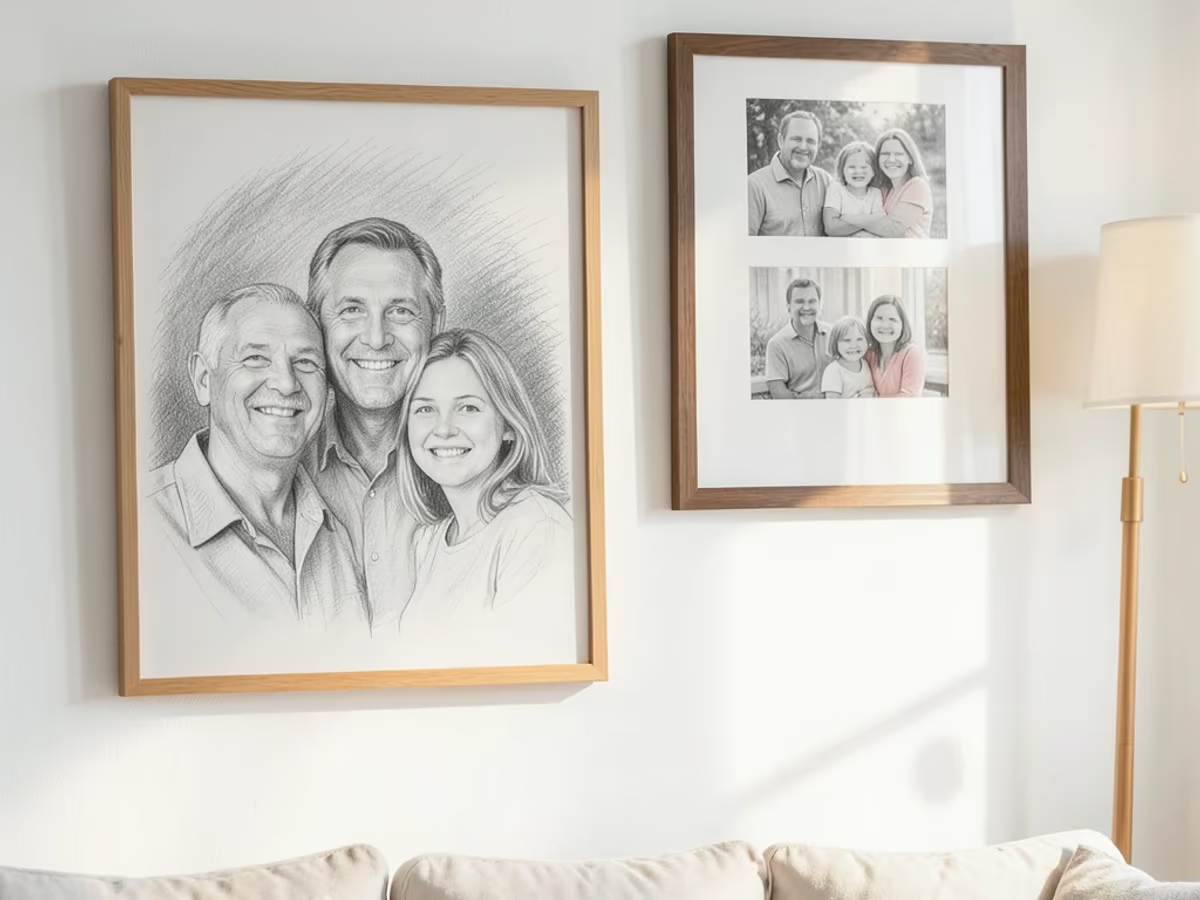
A hand-drawn sketch of a family photo, a couple's portrait, or a childhood home carries emotional weight that a regular photograph does not. The photo to sketch generator lets you turn meaningful pictures into sketches that look like commissioned artwork — suitable for framing, canvas prints, or custom greeting cards.

Professional illustrators often start with a reference sketch before building out color and detail. The convert photo to sketch function produces a clean line drawing that serves as an accurate starting point — the proportions and features are already mapped, saving time on the initial draft and letting the artist focus on creative refinement.

Scrolling past a pencil sketch in a feed of polished photos creates a natural pause. Content creators use the sketch effect to give their posts a handcrafted feel — profile pictures, story graphics, and carousel slides that stand out because they break the visual pattern of filtered photographs.

Architects and interior designers frequently present building concepts with hand-drawn overlays to convey a design-in-progress aesthetic. The photo to line drawing mode converts rendered 3D models or real-world photographs into clean architectural linework that communicates concept rather than finished product.

Teachers and textbook authors need clear, distraction-free illustrations that highlight the subject without photographic clutter. The photo outline generator strips away color and texture to produce clean outlines — ideal for anatomy diagrams, botanical illustrations, and step-by-step instructional drawings.
Upload, pick a style, and download. The entire process runs in your browser.
Select any image from your device — a portrait, landscape, object, or pet photo. The tool accepts common formats including JPG, PNG, and WebP. For the sharpest results, use a well-lit photo with clear subject definition.
Pick from pencil sketch, line drawing, outline, or black-and-white shading. Each style produces a different interpretation of the source image. Preview the options and select the one that best matches the look you want.
Press generate and wait roughly ten seconds. The AI converts your photo into a high-resolution sketch. Download the file and use it for printing, framing, social media, or any other purpose — the output is ready for immediate use.
Clear answers to common questions — no art jargon, no fine print.
cta.subtitle
Upload a photo and download your AI-generated sketch in seconds.
Other AI-powered creative tools from Arui.AI — worth a look if you found this one useful.
Describe any scene in words and the AI generates a matching image from scratch — no source photo needed.
Try Now
Upload a photo and transform it into a new style — painting, cartoon, vintage film — using a text prompt.
Try Now
Turn plain product photos into studio-quality images with clean backgrounds and professional lighting.
Try Now
