Arui.AI is an AI image colorizer that analyzes black and white photographs and applies realistic color to every pixel. Upload a vintage portrait, a historical landscape, or a scanned family snapshot, and the model restores the natural hues in seconds — no manual brushing, no layer masks. Four color moods span natural, vivid, warm vintage, and soft pastel, while Master exports reach 3K for archival prints.

Every tier colorizes the same photo with the same composition and faces — upgrade for richer color reasoning, finer skin tones, and 3K archival exports.

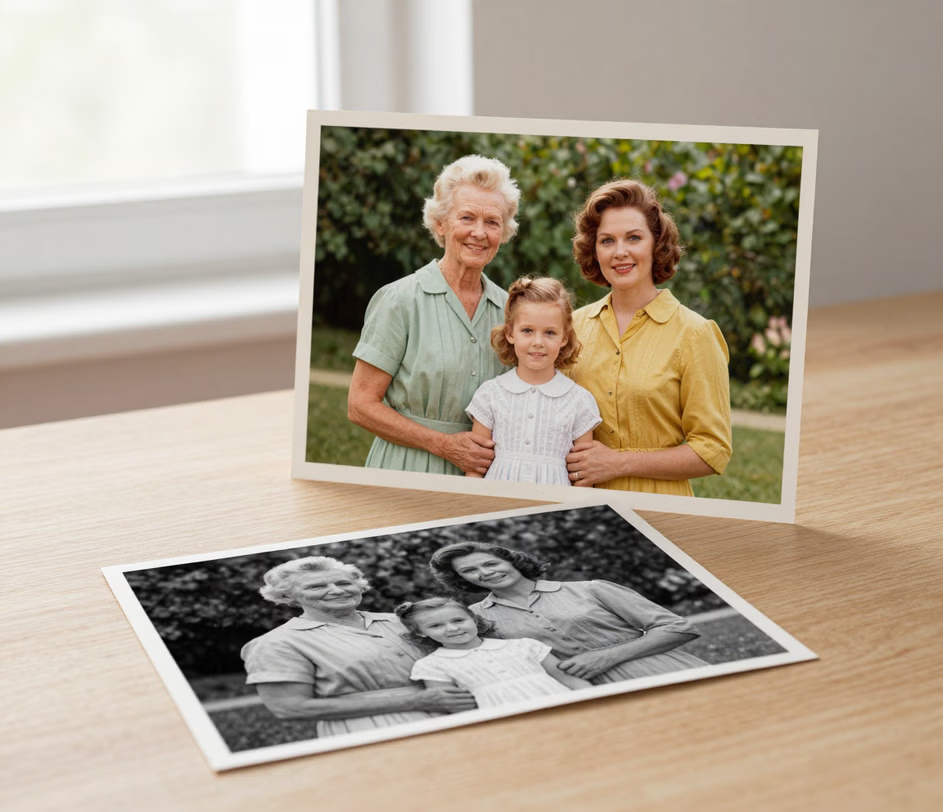
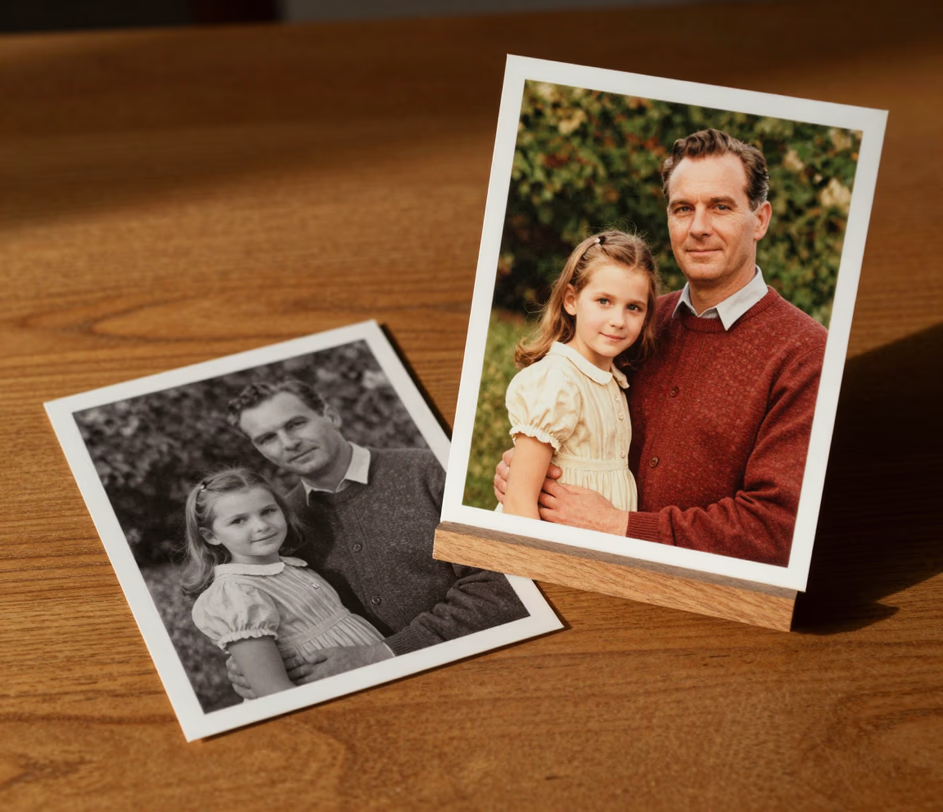
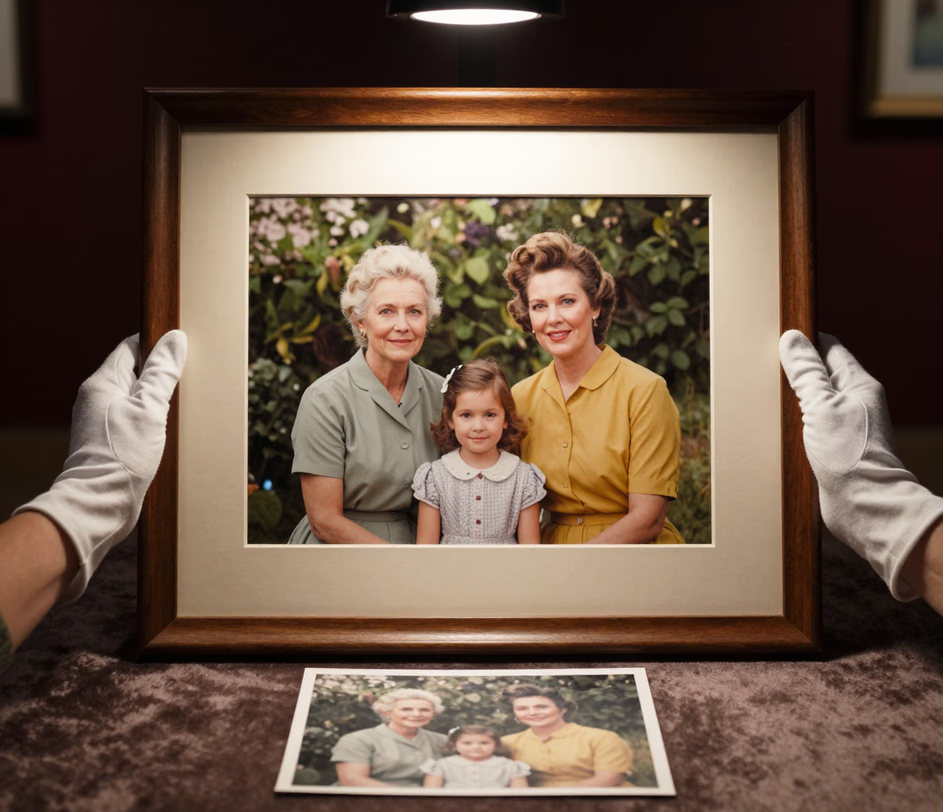
Automatic color restoration, four color moods, and output quality suited for print and screen.

The auto colorize engine processes an entire photograph in a single pass, mapping natural skin tones, sky gradients, foliage greens, and fabric shades without manual input. A scan completes colorization in seconds, compared to the 45 minutes or more a Photoshop artist typically spends hand-painting layers.

The ai colorization model recognizes faces, buildings, vehicles, vegetation, and water surfaces, and selects historically plausible palettes for each. A 1940s street scene receives period-accurate tones for cars, signage, and clothing rather than a generic color wash.

The black and white photo converter follows your original scan, delivering colorized output up to 3K (3072 px) on the Master tier, with 2048 px on Standard and color-first processing on Pro. Archival scans retain their detail without downscaling, making the results suitable for museum prints, photo books, and high-DPI screens.

A side-by-side view displays the original grayscale image next to the colorized version, allowing you to compare results before downloading. Inspect fine details — skin tones, fabric textures, background elements — across 100 percent of the frame, so you know exactly what changed and what stayed true to the original in a comparison that manual workflows take minutes to set up.

Pick the palette that fits the memory: Natural for true-to-life restoration, Vivid for lively social sharing, Warm Vintage for the golden feel of 1960s and 1970s color film, or Soft Pastel for gentle memory-book charm. Switching moods re-colorizes the same photo in seconds, instead of re-editing color layers for 20 to 30 minutes in photo editing software.

Five real scenarios where adding color to black and white photographs adds clarity and emotional impact.

Families often discover boxes of black and white prints spanning decades. A colorize old photos workflow turns a shoebox of 30 or 40 fading prints into vibrant images that distant relatives can share, print, and frame — a digital family archive built one quick upload at a time.

Cultural institutions managing collections of 10,000 or more historical photographs use an ai image colorizer to produce colorized reference prints that help visitors connect with the past. Each photograph takes one upload and seconds of processing, so entire exhibit collections come together in days rather than the months required for manual retouching.

Content creators on Instagram and Pinterest boost engagement by sharing colorized historical images alongside the original black and white versions. Posts that include both versions see up to 3 times higher engagement, as followers interact with the visual transformation and share it with their networks.

Real estate agents researching a property's history often find black and white photographs from the 1920s through the 1970s. A black and white picture to color conversion adds context — showing original brick tones, landscaping colors, and neighborhood character — that enhances listing presentations and historical brochures.

History educators and documentary filmmakers use a colorize black and white images tool to create compelling visuals for lessons and films. A colorized photograph of a 1940s factory floor communicates the scale and atmosphere far more effectively than the grayscale original, increasing student retention by up to 65 percent according to multimedia learning research.

Upload, pick a mood, download. No design skills required.

Drag and drop a JPEG or PNG scan of your black and white photograph. A clear, evenly exposed scan gives the cleanest result, and the photo is the only required input — no prompt writing, no settings hunt.

Choose Natural, Vivid, Warm Vintage, or Soft Pastel, or simply keep the Natural default. The ai colorize image model analyzes the content of your photograph, identifies objects, surfaces, and textures, and applies historically plausible colors in seconds. An optional text prompt can pin down known colors, like an ivory wedding dress.

Compare the original and colorized versions side by side, then download the full-resolution output. Standard delivers 1024 px, Pro refines color detail, and Master exports 2K or 3K files ready for photo books, frames, and archival prints.

Direct answers — no jargon, no fine print.
Upload a vintage image and let AI restore natural colors in seconds.
Subscription plans include credits for AI photo colorization

Other creative tools from Arui.AI for your photo editing workflow.

Enhance portrait lighting, smooth skin, and remove blemishes from any photograph with a single upload.
Try Now
Type a description and receive a photorealistic or artistic image generated from scratch.
Try Now
Remove the background from any image with pixel-level edge detection — no manual masking required.
Try Now
