Arui.AI is an AI monster generator that turns text descriptions into custom creature illustrations. Describe your monster — type, size, abilities — and the AI renders a complete creature design for D&D campaigns, tabletop RPG sessions, or creative projects in under twenty seconds.
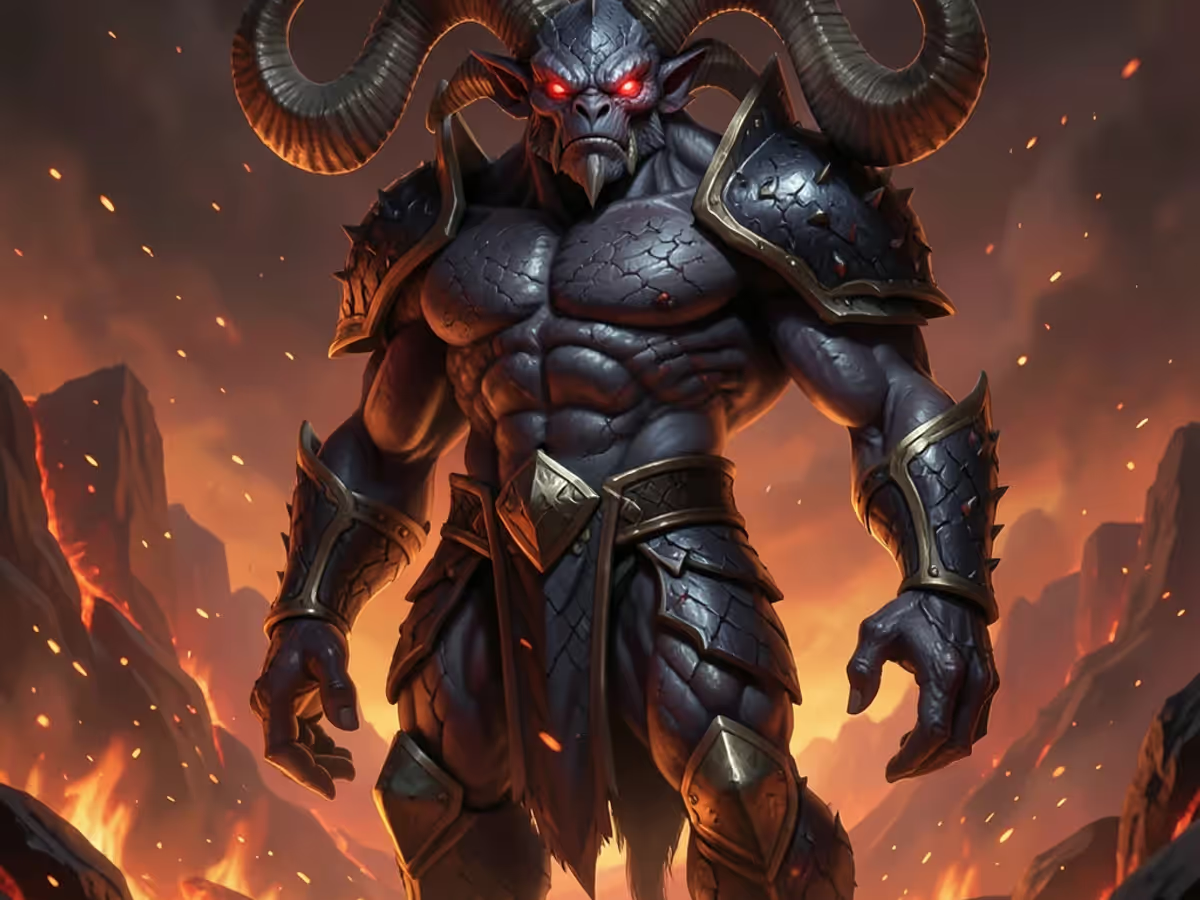
Switch models to compare results
Fast creature generation, D&D-ready visual output, and flexible art styles from any text prompt.
Type a description of any monster — a towering demon, a skeletal warrior, a multi-headed serpent — and the ai monster generator renders a complete creature illustration in under 20 seconds. The same output takes a freelance concept artist three to six hours. Users can specify creature type, body structure, color palette, and environmental setting, producing results suitable for D&D character sheets, campaign supplements, and adventure modules.
The random monster generator creates a creature from a single click without requiring a typed prompt. The AI selects creature type, abilities, and visual traits from a dataset of over 200 monster archetypes including dragons, undead, fiends, aberrations, and constructs. Dungeon Masters preparing a session on short notice can generate 5 to 10 creature concepts in under two minutes, compared to 30 to 60 minutes of browsing published bestiaries or stock art libraries for inspiration.
Choose from six creature categories — dragons, undead, aberrations, fiends, beasts, and humanoids — each with distinct visual treatments. The dnd monster maker applies scaled textures for dragons, ethereal glows for undead, and twisted anatomy for aberrations. Users can also select art styles ranging from realistic oil painting to ink drawing, ensuring the monster generator 5e output matches the tone of any campaign setting from gothic horror to high fantasy.
Every monster illustration exports at 1024 × 1024 pixels in PNG format. The resolution supports digital VTT tokens, printed battle maps at 300 DPI up to 8 × 8 inches, adventure module layouts, and social media sharing. Files download in under three seconds after generation completes, ready for immediate use in Roll20, Foundry VTT, or physical print materials without upscaling or post-processing.
Compare turnaround time, cost, and output quality across three approaches.
| Feature | Arui.AI Monster Generator | Traditional Methods |
|---|---|---|
| Time per Creature Design | Under 20 seconds for a complete monster illustration at 1024 × 1024 | 4 to 6 hours of manual drawing, or 3 to 5 business days with a commissioned artist |
| Cost per Monster | One credit per generation with daily credits included | 200 to 400 hours of practice (manual), or $100 to $300 per creature (commissioned) |
| Art Style Consistency | AI maintains consistent lighting, proportion, and texture across a batch of 10 creatures | 8 to 12 extra hours for manual consistency; professional artists deliver after 1 revision round |
| Output Resolution | 1024 × 1024 PNG, printable at 300 DPI for 8 × 8 inch battle maps | Limited by scanner or canvas size (manual); typically 3000 × 3000+ pixels as PSD or TIFF (commissioned) |
| Iteration and Revision Speed | New variation from a modified prompt in under 20 seconds per attempt | 1 to 3 hours per manual revision; additional commission rounds billed at $50 to $100 each |
Time per Creature Design
Cost per Monster
Art Style Consistency
Output Resolution
Iteration and Revision Speed
Production scenarios where AI-generated creatures replace traditional concept art workflows.
Dungeon Masters building a long-running D&D campaign use the d&d monster generator to produce visual references for major villains and boss encounters. A campaign with 5 to 8 boss creatures requires 5 to 8 illustrations, each taking three to six hours from a commissioned artist at $100 to $300 per creature. The AI produces the same set in under three minutes total, giving DMs visual assets for session handouts, VTT tokens, and player-facing reveal moments without budget approval or commission scheduling.

DMs running one-shot sessions at conventions or game stores use the random monster generator to populate encounters quickly. A typical four-hour one-shot requires 8 to 12 unique creature designs across 6 to 8 combat encounters. Generating the full roster takes under five minutes with the AI tool, compared to 8 to 12 hours of manual preparation or $800 to $3,600 in commission costs. DMs download all illustrations as PNG files and import them into VTT platforms before the session begins.

Indie game developers building RPGs and strategy games use the dnd monster maker to prototype creature rosters during early development. A typical indie RPG requires 30 to 50 unique enemy designs. At traditional commission rates, a full creature roster costs $3,000 to $15,000 and takes 4 to 8 weeks. The ai monster generator produces the same volume in under 15 minutes of generation time, enabling developers to iterate on visual direction before committing to final art production.

Authors, worldbuilders, and lore creators use the dungeons and dragons monster generator to visualize creatures from their manuscripts and campaign settings. A novelist describing 15 to 20 unique creatures across a fantasy series can generate visual references for all of them in under ten minutes, compared to 60 to 120 hours of self-taught drawing or weeks of back-and-forth with a freelance illustrator. The generated illustrations serve as reference sheets for consistent description across chapters and sequels.
No drawing or concept art experience required. Describe your creature and download the illustration.
Type a text description of the creature you want — species, body type, abilities, environment, art style — or click the random monster generator button to let the AI select traits automatically. The dnd 5e monster maker accepts detailed prompts with multiple attributes, producing results that match specific campaign settings and encounter requirements.
Select a creature category from dragons, undead, aberrations, fiends, beasts, or humanoids. Pick an art style — realistic, ink drawing, oil painting, or digital concept art. The dnd monster generator applies the chosen style consistently across all generated creatures, ensuring a cohesive visual identity for your campaign or project.
Click generate and receive your monster illustration in under twenty seconds. Download the 1024 × 1024 PNG file and use it immediately in Roll20, Foundry VTT, printed battle maps, or adventure module layouts. Generate additional variations by modifying the prompt and regenerating — each new creature takes under 20 seconds to produce.
Direct answers — no tabletop RPG jargon.
Describe a creature, pick a style, and download a monster illustration in under twenty seconds.
Daily credits reset each morning. Describe a creature, pick a style, and download a monster illustration in under twenty seconds.
Other AI-powered tools from Arui.AI for image creation and game asset production.
Design characters across anime, cartoon, fantasy, and semi-realistic styles with text-driven AI generation.
Try Now
Describe any scene and the AI generates a high-quality image from your prompt — useful for storyboards, concept art, and visual references.
Try Now
Create custom illustrations in various artistic styles from simple text prompts.
Try Now
Turn any photograph into hand-drawn sketch art with six pencil, ink, and charcoal styles.
Try Now
Transform portrait photos into bold cartoon artwork with clean linework and vibrant color blocks.
Try Now
